B2B · FULLY IMPLEMENTED
Centralizing furniture donation, inventory, and delivery operations
Duration: 9 months (Sep 2025 - May 2026)
Role: Product designer
Team: 3 designers, 7 engineers, 2 PMs, 2 tech leads
Skills: Prototyping, User testing, XFN collaboration, Client collaboration
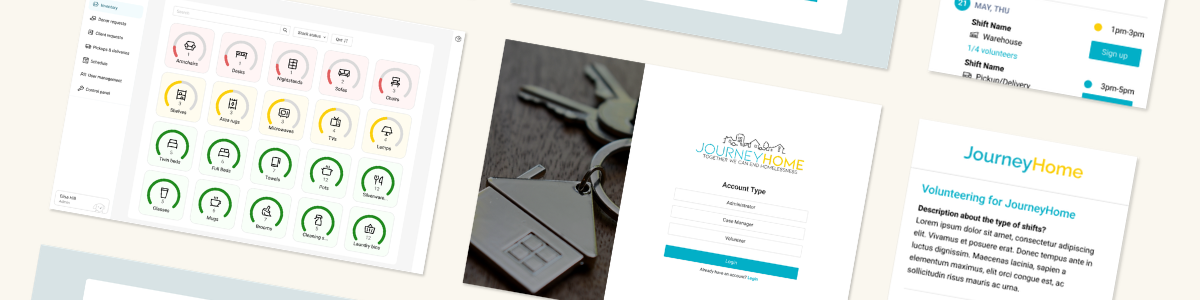
As a part of a cross-functional team, I designed a centralized operations platform for Journey Home, a nonprofit working to end homelessness in Connecticut. The platform brings together inventory management, donor intake, client requests, volunteer scheduling, deliveries, pickups, and user management into one system. 
Rather than complete replacement, the goal of this project was to make their current workflow easier to manage; the resulting system was designed around the needs of administrators, case managers, and volunteers, with an emphasis on flexibility.
DEFINING THE PROBLEM
Journey Home needed one place to coordinate the many moving parts behind furniture distribution.
We met with Journey Home administrators weekly throughout the project to review our progress, validate workflows, and discuss whether our designs reflected their operations. They described their operations across several disconnected platforms, including Smartsheet, Excel, Outlook, and signup.com. Donor offers, client requests, volunteer availability, and delivery schedules existed in different places, creating additional work for staff; inventory management had not even existed.
Research highlights
Information was distributed
Because donor offers, client requests, inventory, and schedules were separated across different tools, staff had to manually piece together information to understand their next step. Manual coordination also increased the possibility of missed or outdated information.
Lack of inventory management
Journey Home had no method to figure out what items they had in stock, forcing them to call their warehouse manager to manually count items when needed.
Mapping the existing workflow
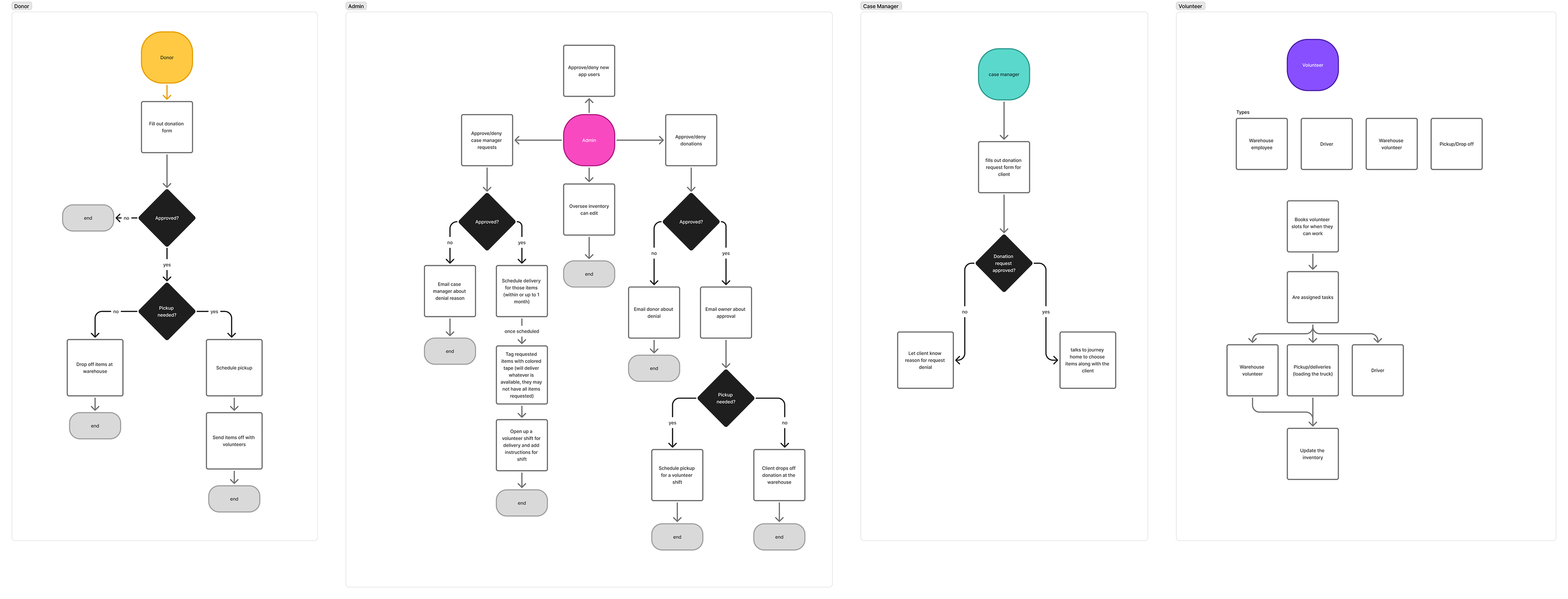
Before designing individual screens, we mapped how information moved between administrators, case managers, volunteers, and donors. This diagram helped us identify where information was lost between handoffs and how the centralized system could be used to reduce manual coordination.

User flows of donors, admin, case managers, volunteers, and their warehouse employee

SOLUTION OVERVIEW
This centralized platform connects Journey Home’s furniture workflow from intake to delivery.
Rather than recreating each existing tool individually, we designed a system where actions in one part of the workflow could inform the next.
Donor submits -> Admin reviews -> Pickup scheduled -> Volunteer completes pickup -> Inventory updated
Case manager submits requests -> Admin verifies -> Delivery scheduled -> Volunteer completes delivery -> Inventory updated
This creates a shared source of information while allowing different users to interact with the system according to their roles.
Inventory management
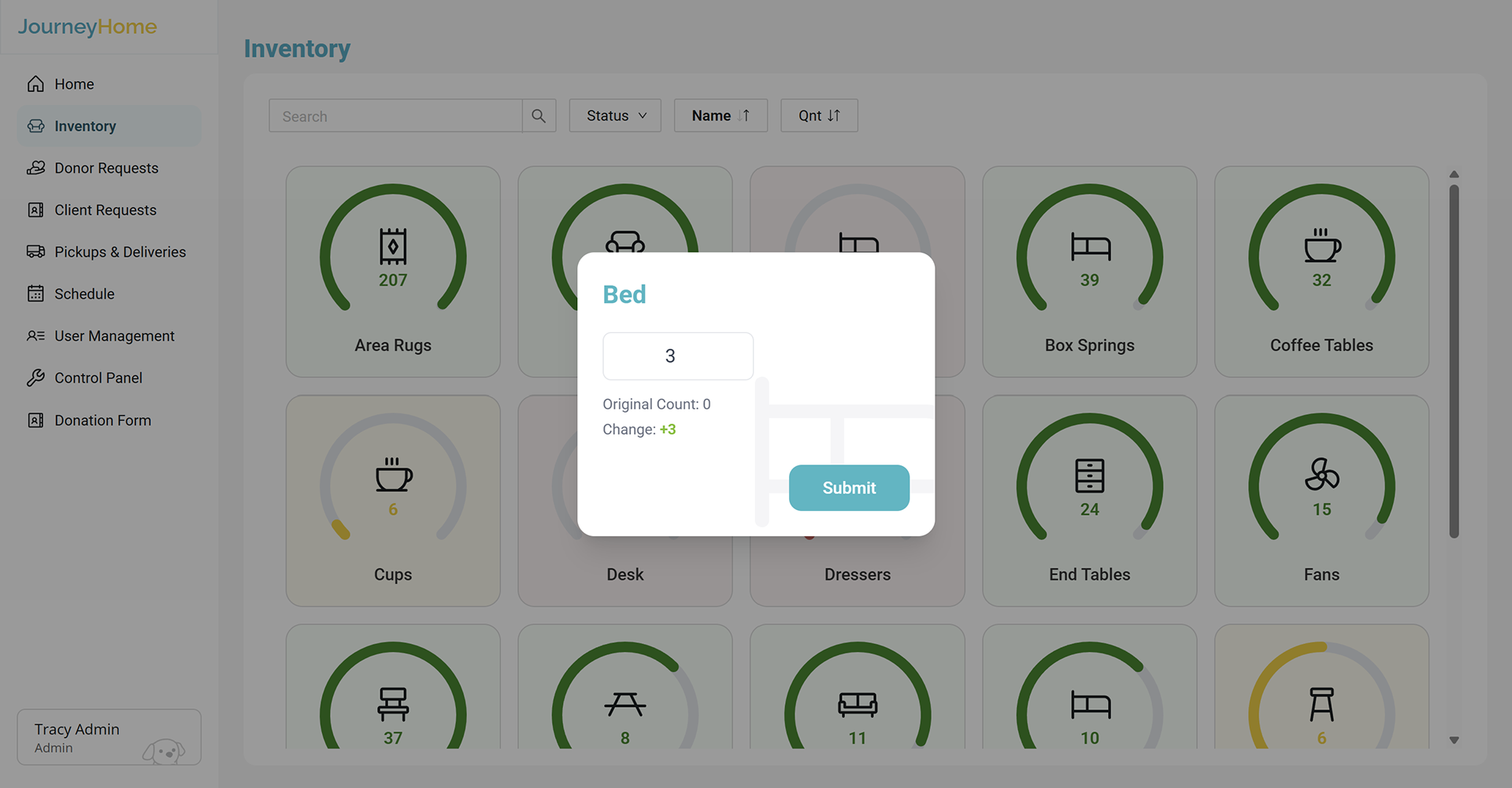
Admin can view inventory by item and category, adjust quantities, and review changes resulting from pickups and deliveries. Inventory categories can also be created and modified as Journey Home’s needs change.

Inventory dashboard and quantity modification

Donor intake and donation review 
Donors can submit furniture offers through a linked form. Submissions populate a review queue, where admin can accept or reject individual donations. Accepted donations automatically move into the pickup workflow, reducing manual labor.

Donation review from admin dashboard

Client requests
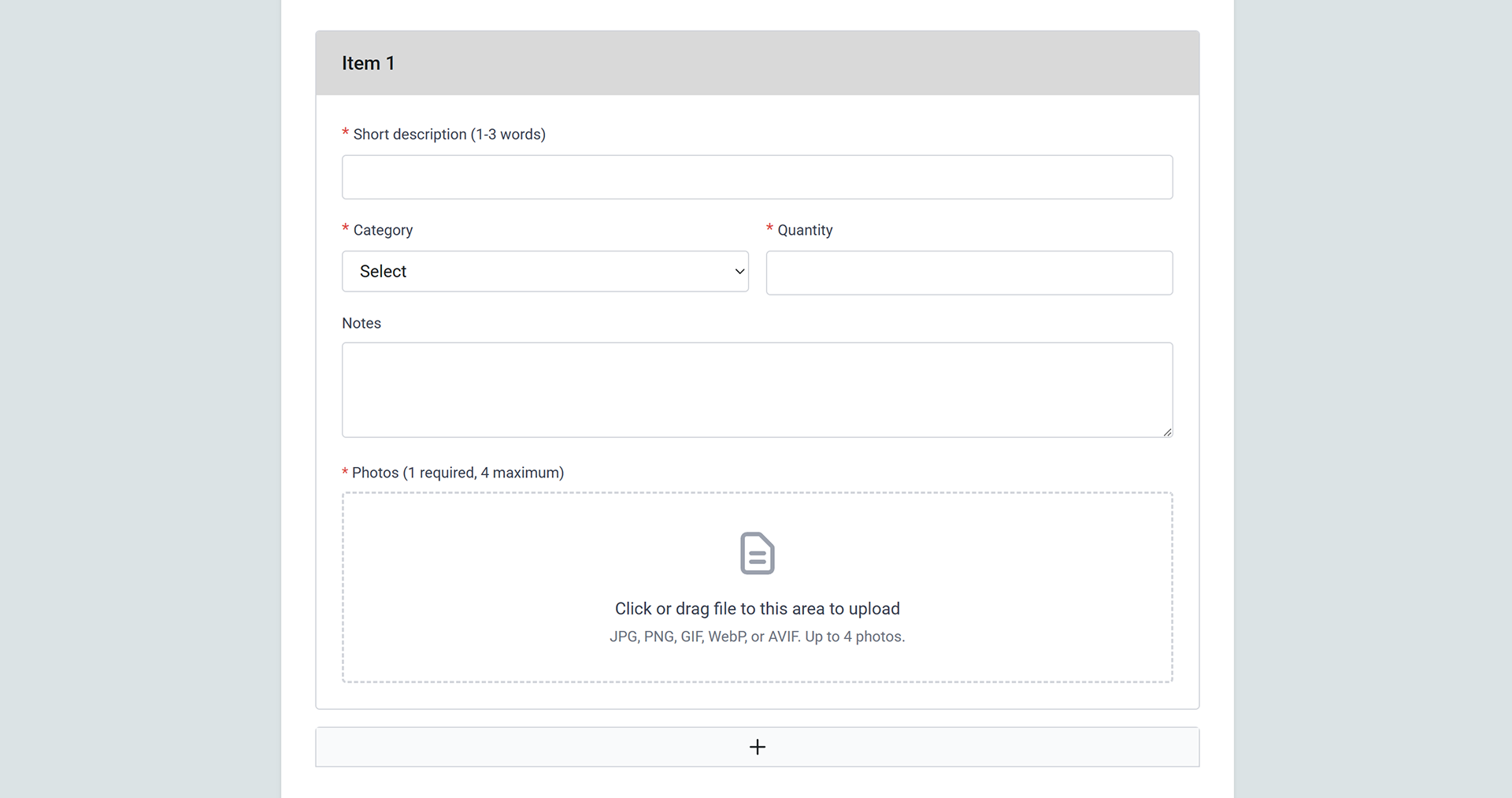
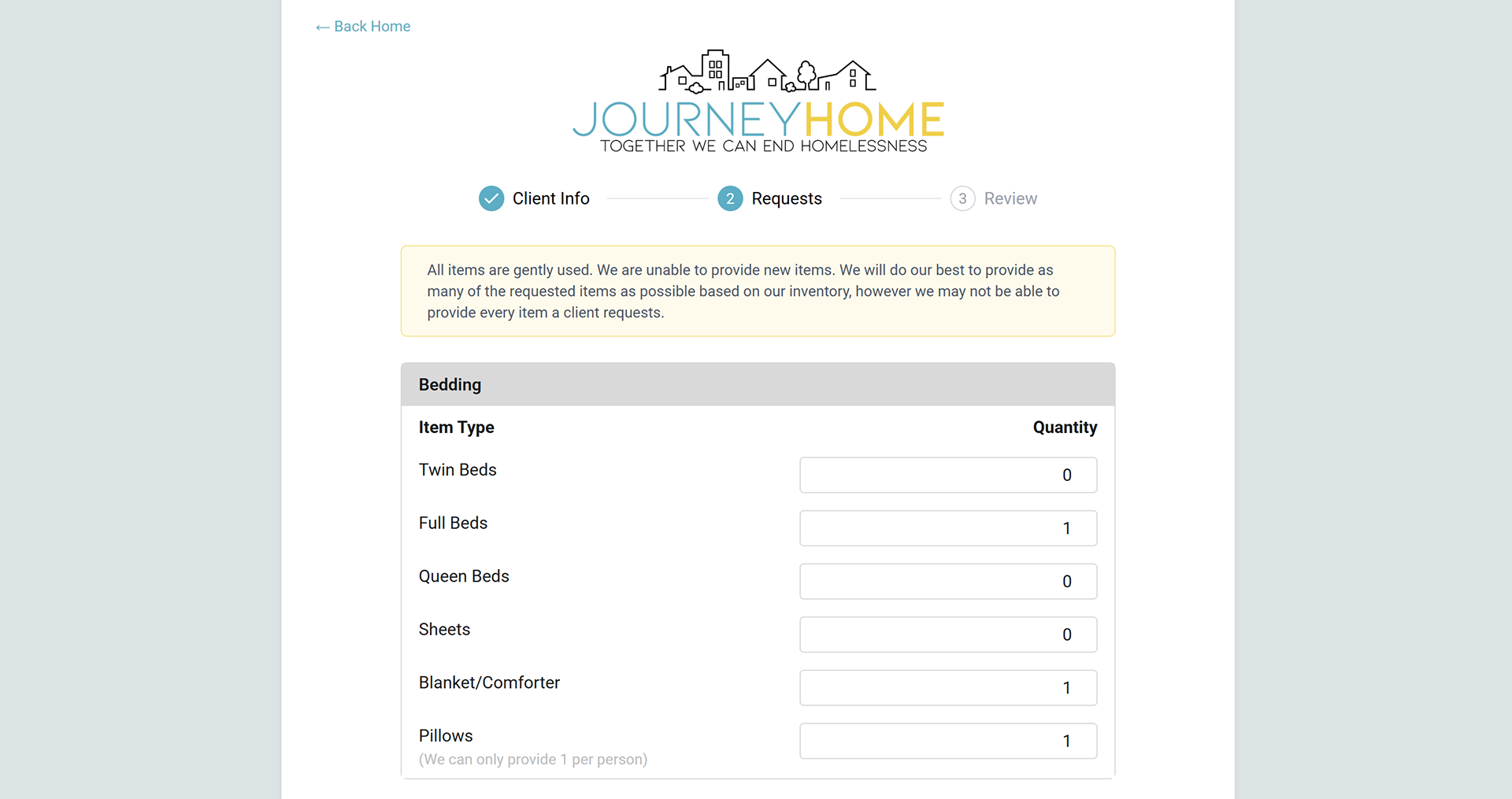
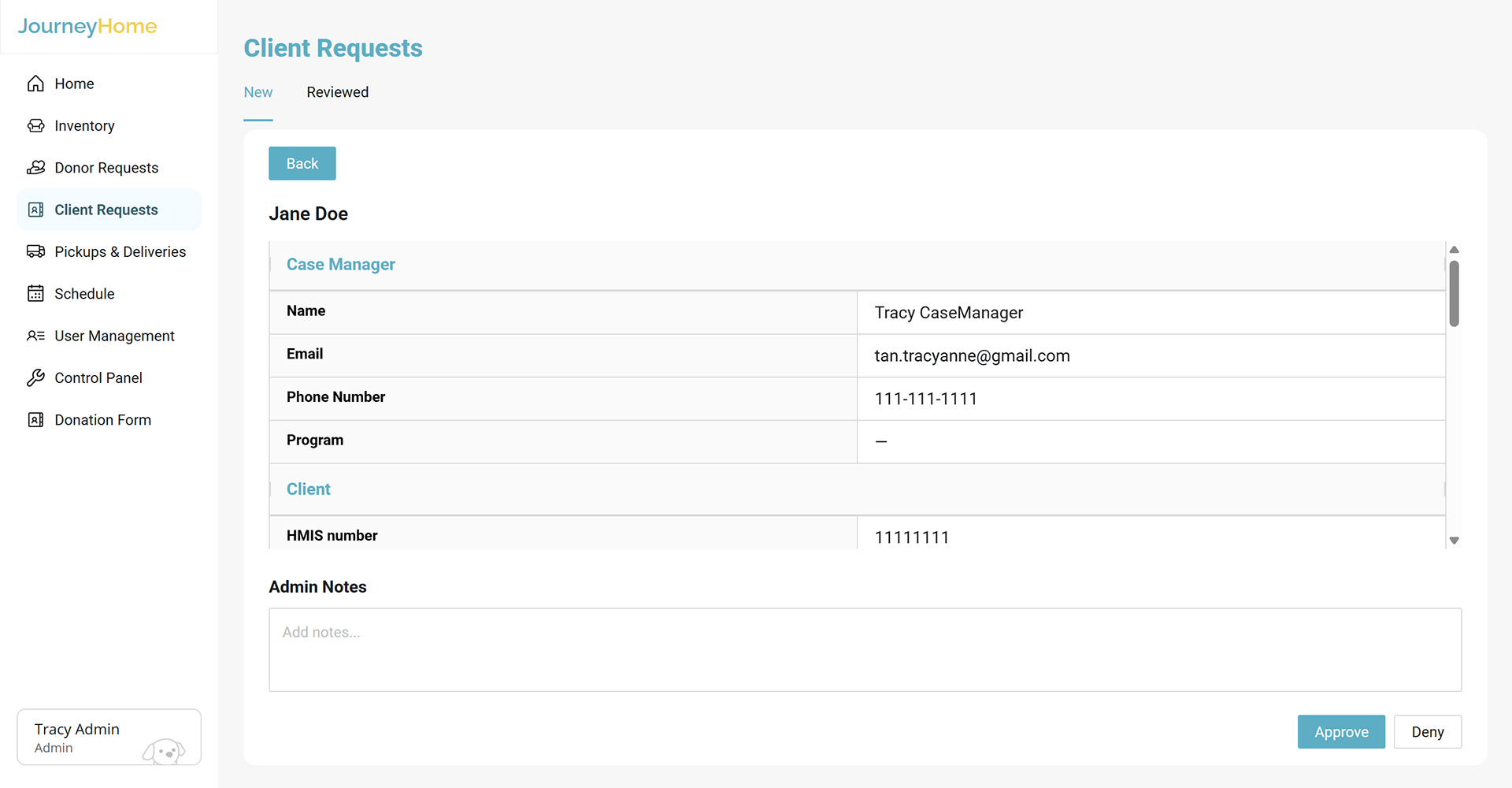
Case managers can submit furniture requests for their clients and view both pending and previous requests. Submitted requests populate an approval queue, where admin can verify the client’s HMIS number before approving the request.

Client request form from case manager's perspective

Pickup and delivery scheduling
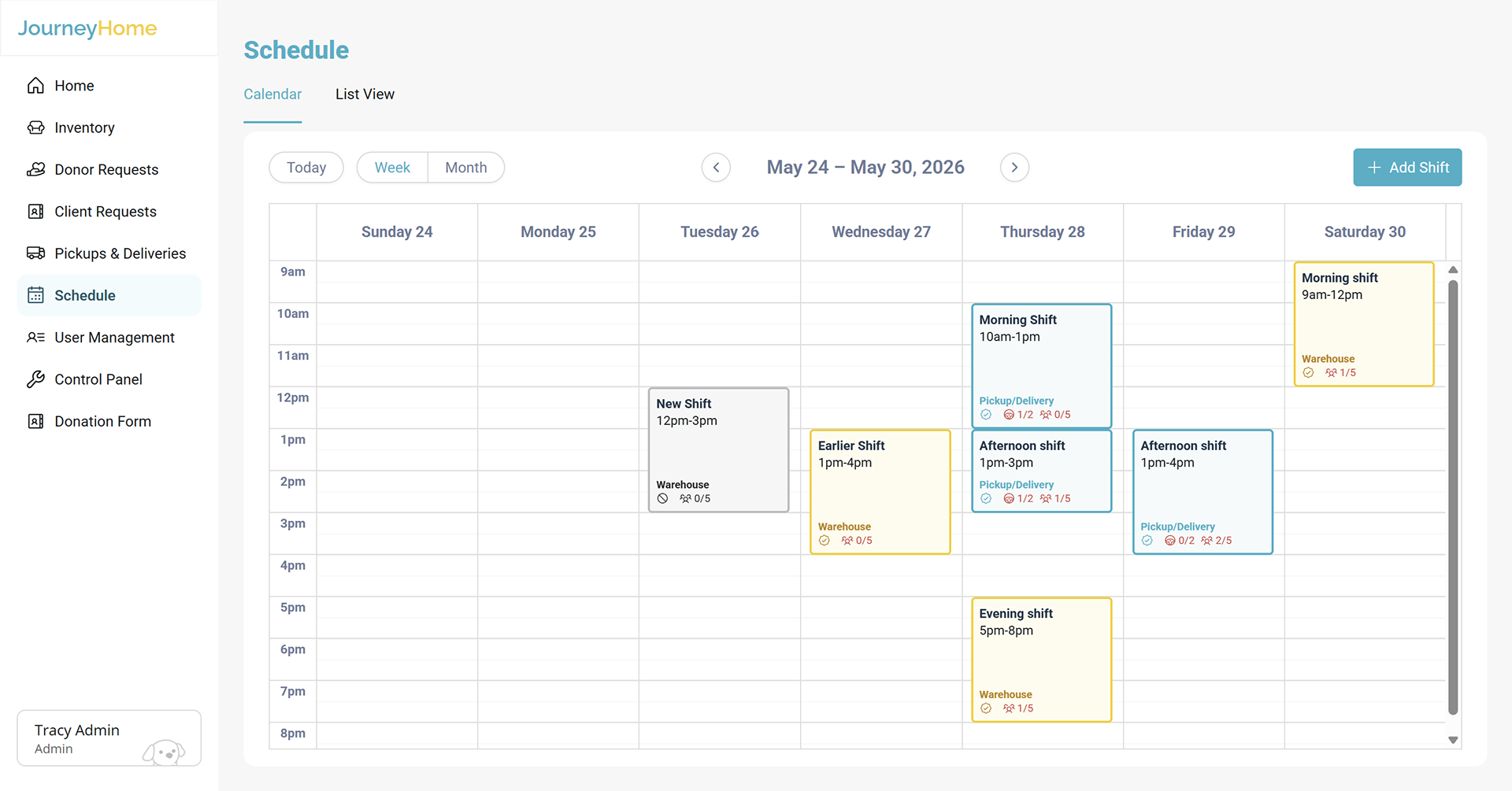
Admin can view approved donation pickups and client deliveries through dedicated scheduling dashboards. A master schedule provides an overview of upcoming activities and shows how many volunteers have signed up for each shift, helping admin identify staffing gaps and coordinate logistics.

Master schedule (calendar and list views) for shift overview

Volunteer shifts
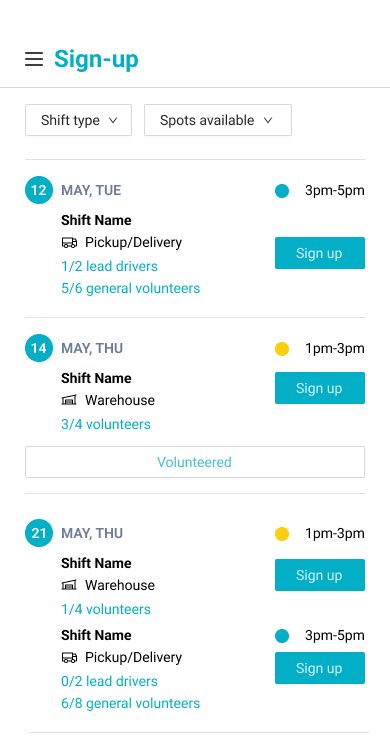
Volunteers can sign up for available shifts, and on the day of their shift, access a guided workflow explaining what they need to accomplish. During the shift, volunteers record items they picked up or delivered and update the relevant inventory information. The interface was designed specifically for mobile considering that they may need to take photos and that this would be the most accessible device.

Volunteer sign-up page

Volunteer shift tasks page
User management
Admin have control over users and permissions. They can view users, manage roles such as volunteer or case manager, and control who can access different parts of the system.

Accept account requests from volunteers, case managers, or other admin

KEY DESIGN DECISIONS
Our design decisions evolved through ongoing feedback, helping us create a system that was both useful for Journey Home and realistic to implement.
Realistic maintenance
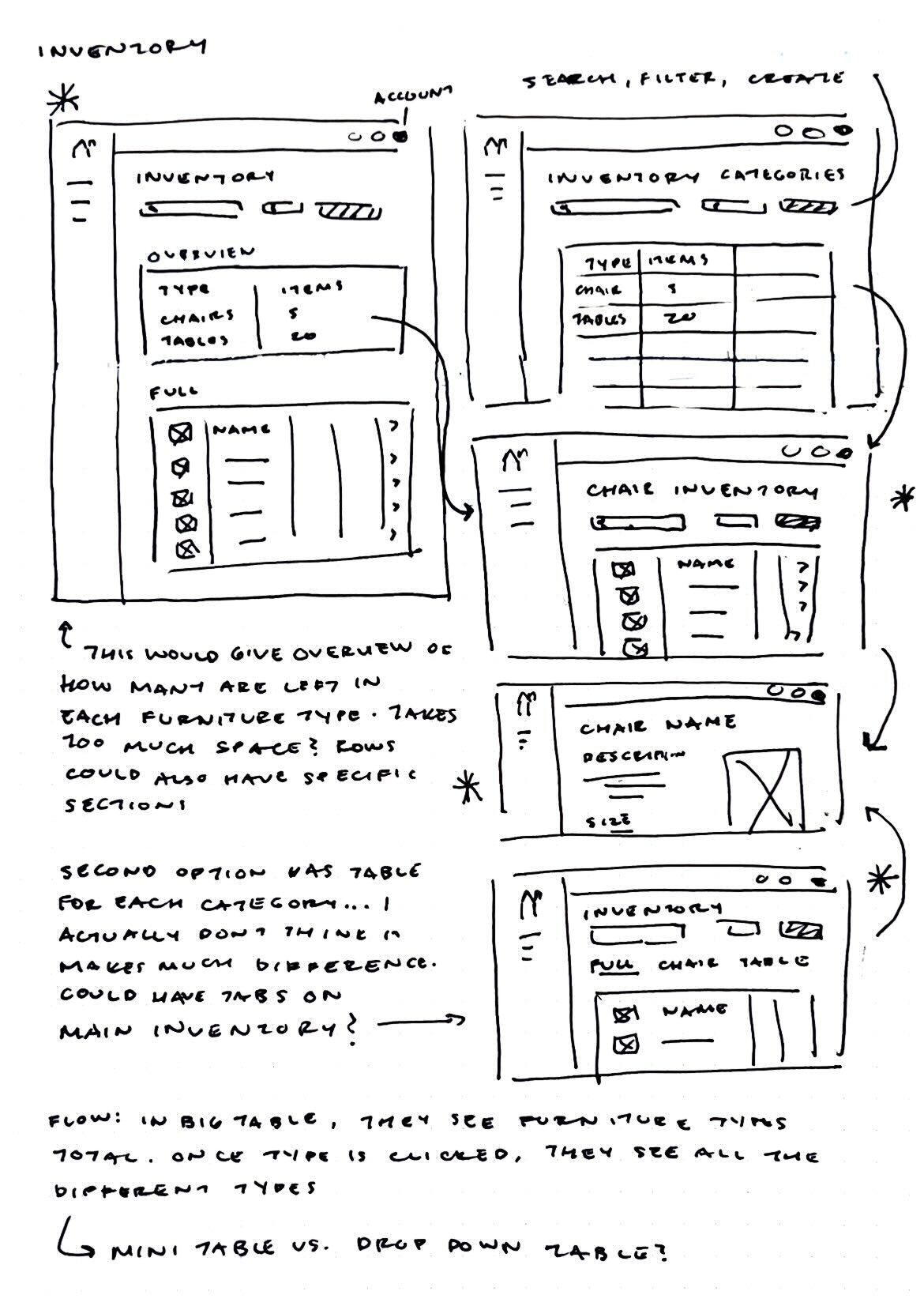
Our initial inventory concept attempted to track individual pieces of furniture and detailed information about requested items. During one of our weekly meetings with Journey Home admin, we learned that this level of detail did not reflect their actual workflow. They mentioned that they are not always able to reliably track what entered and left inventory. Thus, a highly detailed inventory could end up creating additional administrative work. We ultimately simplified the system to focus on inventory categories and quantities instead.

Early sketches of the inventory dashboard
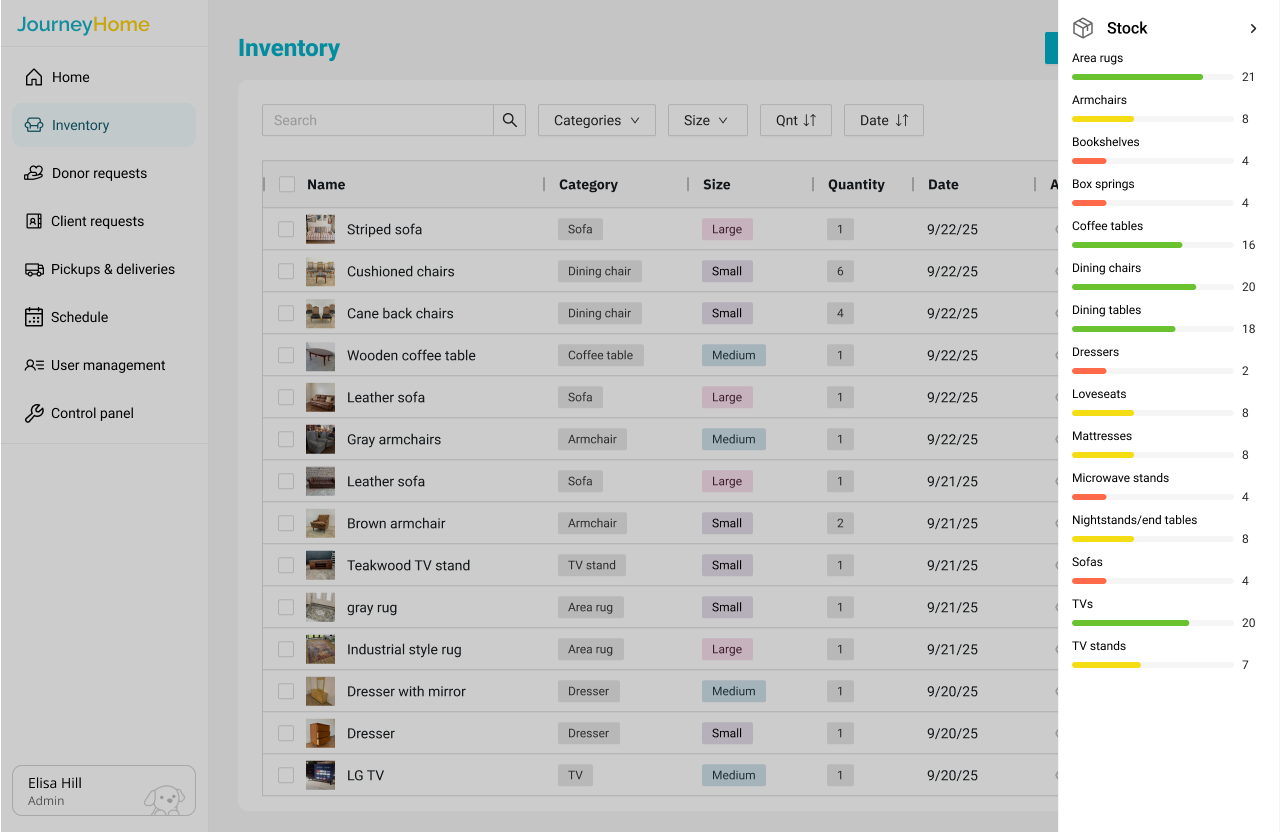
Old high-fidelity prototype of the inventory dashboard
Adaptable system that can grow with the organization
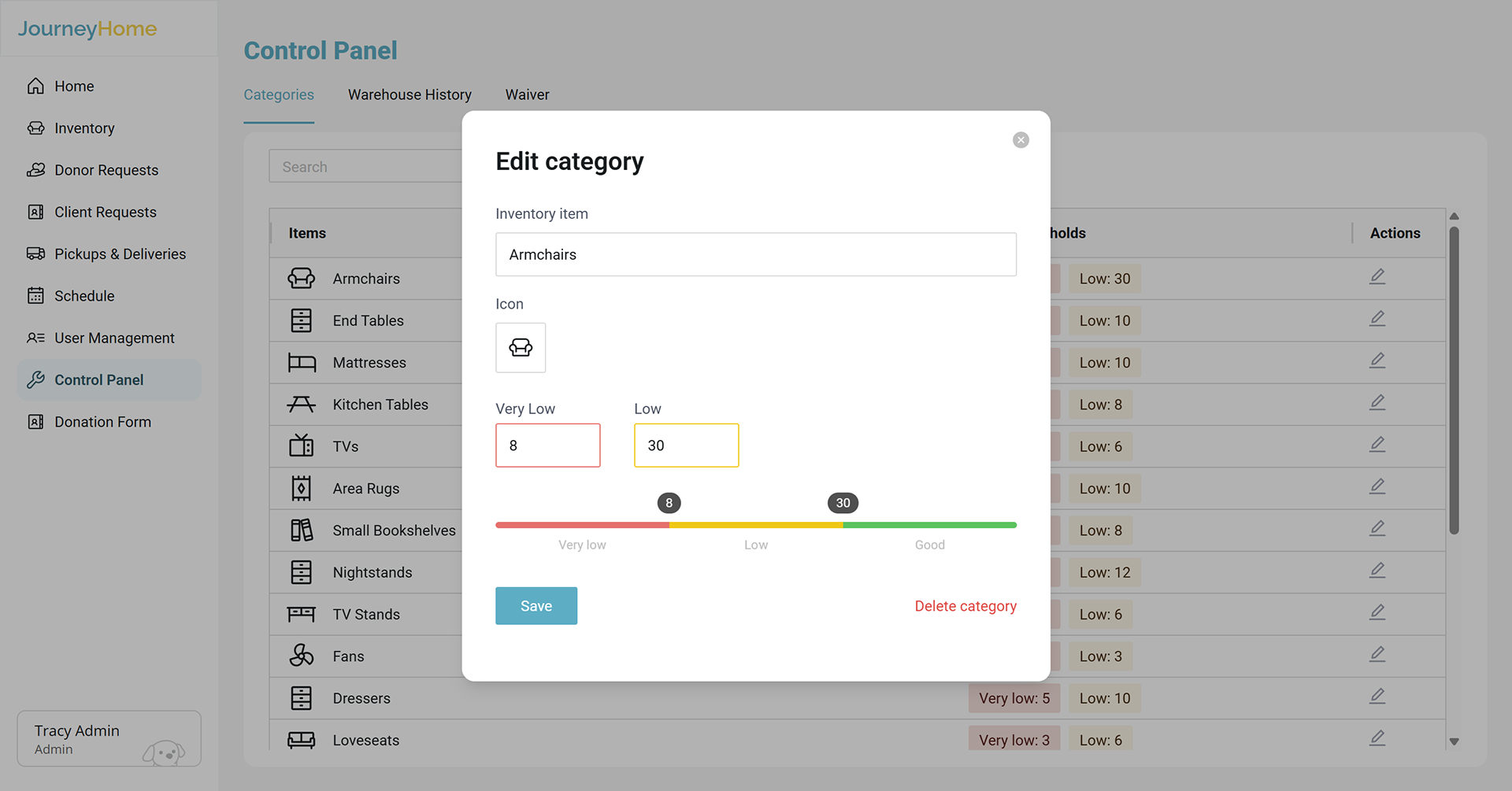
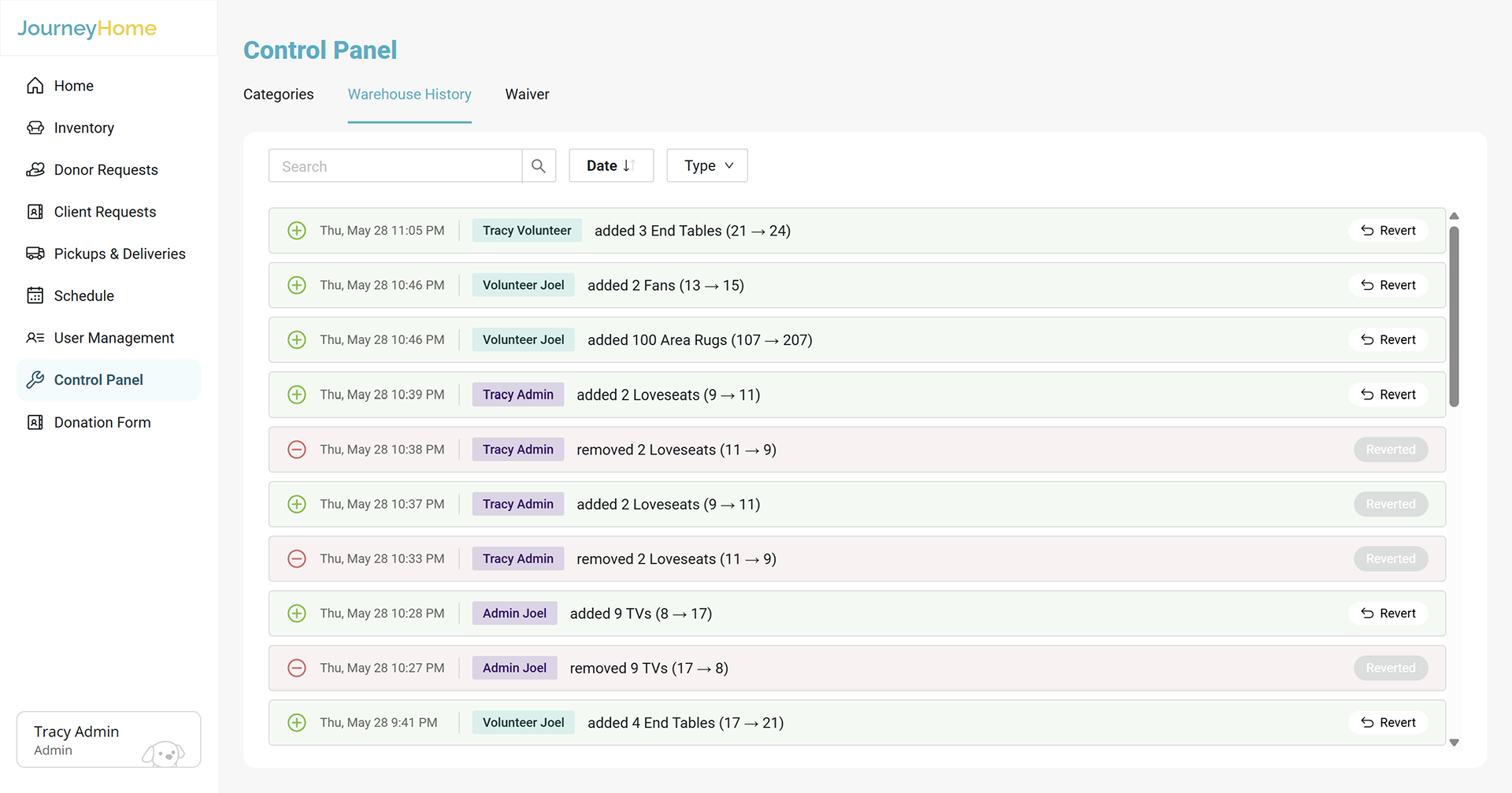
Journey Home’s inventory, users, and workflows will continue to grow. New types of furniture may need to be added, users may change roles, and information may need to be corrected. We designed for all these possibilities by making most features editable. Admin can create and modify inventory categories, edit quantities, manage user permissions, modify scheduling information, review and revert changes through the changelog.

Inventory category edits, including name, icon, and threshold
Improving efficiency
We also used table and grid-based layouts across many of the dashboards, which allow users to scan information per their preference. Visual encoding through symbols and color helps distinguish information such as user type, shift type, and item quantity. Our goal was to make a complex system fast to understand for regular users.

Change log that tracks every warehouse inventory addition or removal
REFLECTION AND CONCLUSION
This project changed how I think about designing for complex organizational systems.
Designing for the real workflow, not the ideal
Our first solution for the inventory was more detailed, but client feedback showed us that the organization could not realistically maintain all of the information we were asking it to track. We had to balance our ideal vision for the product with the reality of how long this platform would fit into their existing workflow and how sustainable it would be over time. This taught me that a more complex solution is not necessarily a better one; a simpler system that Journey Home can consistently maintain and remain accurate is ultimately more valuable.
Designing as part of a cross-functional team
Because the platform was being developed alongside our design process, I had to work closely with engineers and tech leads to make sure our designs were being translated effectively into the product. This meant communicating interaction details, clarifying edge cases, and checking that the implementation decisions reflected the original designs. There were times in which we had to revisit our original concepts and discuss its feasibility with engineering. I learned that good cross-functional collaboration is more than handing the designs off; it is an ongoing process of communication and iteration.
Future goals
If I had more time, I would conduct additional usability testing with each user group, particularly volunteers who interact with the platform more differently than the administrators. Though we learned a lot from our weekly meetings with Journey Home, additional testing could provide more unique insight.

You may also like

Back to Top